Suggested setups
Hardware setups that work well with OTS
Two proven room layouts and a list of off-the-shelf gear that plays nicely with the OTS Media Controller.
Standard classroom
- 1 × OTS Media Controller
- 1 × large interactive flat panel display (75″, 86″)
- 1 × in-room audio system (speakers)
- 1 × AirServer (wireless casting)
- 1 × podium workstation (can be a slot-in PC to the IFP)
- 1 × wall-mount movable LCD mount
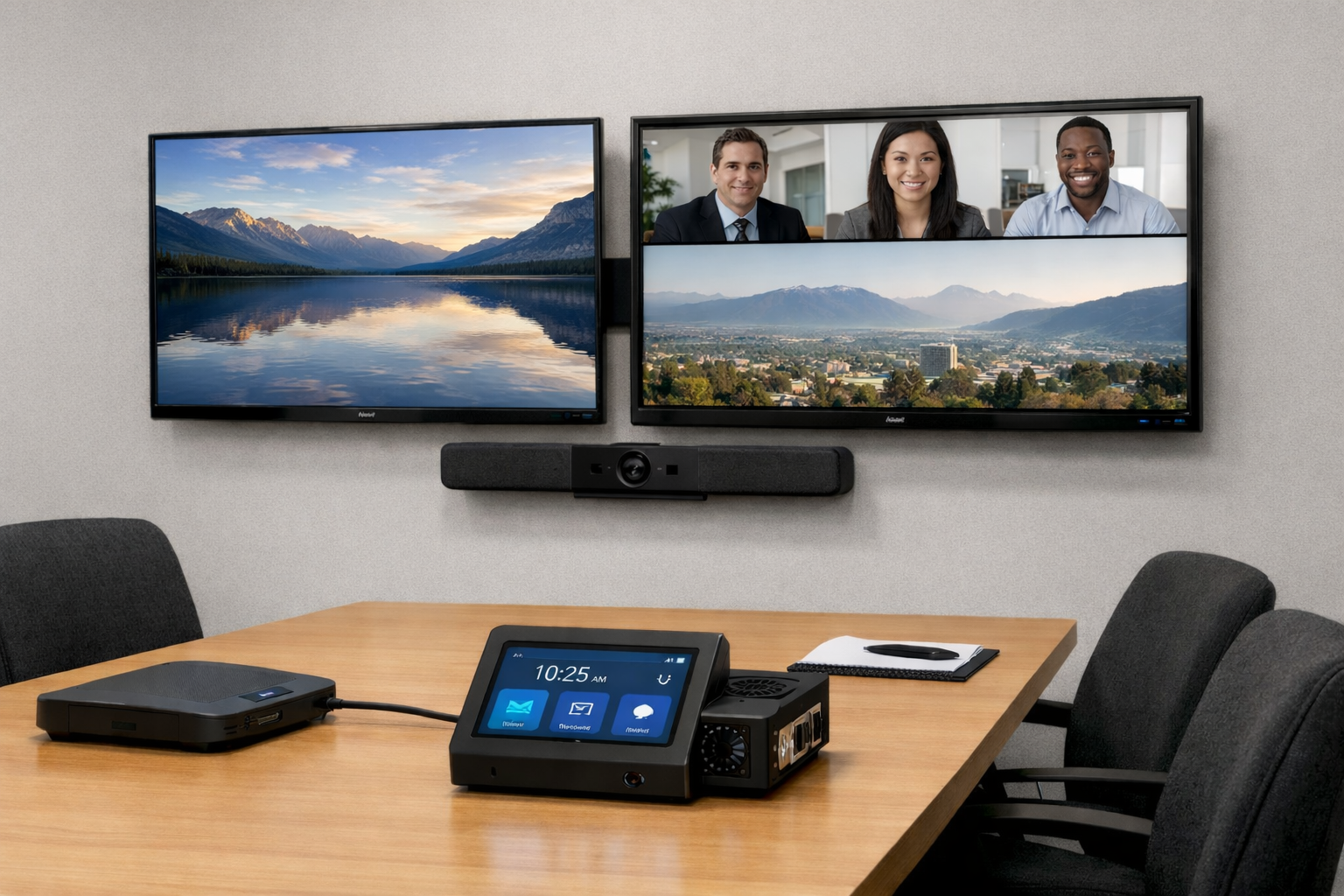
Small / medium meeting room
- 1 × OTS Media Controller
- 2 × medium flat panel displays (55″, 65″)
- 1 × conferencing sound bar + controller
- 1 × AirServer (wireless casting)
- 1 × slot-in PC to commercial display
- 2 × wall mounts
Gear we like
Off-the-shelf hardware suggestions
Because OTS is vendor agnostic, you can mix and match. These are good starting points.
- ViewSonic interactive flat panels and commercial displays
- Sharp/NEC flat panels
- Ashly FX Series amplifiers
- BSS Audio BLU Series digital signal processors
- Alfatron matrix switchers or presentation switchers
- PJLink-compatible projectors
Ready to simplify your rooms?
Set up OTS Command, pick your controllers, and have your first room running this week.